The Sound of Silence: Building a Noise-Free Workstation for Britain's Growing Creator Community
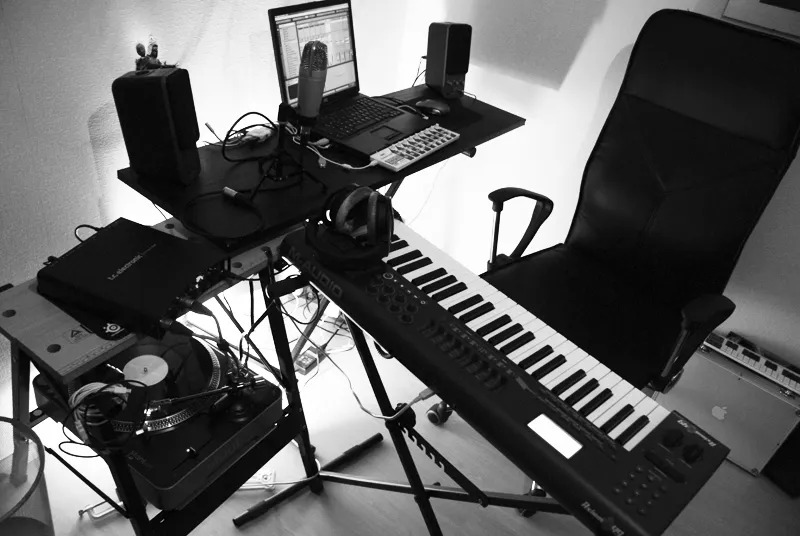
Photo: LiquidMolly, CC BY-SA 2.0, via Wikimedia Commons
The Sound of Silence: Building a Noise-Free Workstation for Britain's Growing Creator Community
There is a particular frustration familiar to anyone who has invested in quality microphones, acoustic treatment, and professional recording software, only to discover that their desktop computer is introducing a persistent hiss, whirr, or electronic squeal into every recording session. Across Britain's expanding cohort of podcasters, bedroom music producers, voiceover artists, and video content creators, this realisation is driving a specific and increasingly sophisticated approach to workstation design: the deliberate pursuit of acoustic silence.
The standard gaming or office PC is engineered for thermal performance and cost efficiency. Acoustic comfort is rarely a primary design consideration. For creators who record in domestic environments — often without the luxury of a dedicated studio booth — the computing hardware itself becomes a variable that must be actively managed. Understanding which components contribute most to acoustic output, and how to select alternatives, is the essential starting point.
Understanding Where PC Noise Actually Comes From
Before selecting components, it is worth establishing what generates noise in a standard desktop system. The sources are more varied than many builders initially appreciate.
Cooling fans are the most obvious culprits. CPU coolers, case fans, GPU fans, and power supply fans all generate airflow noise, bearing noise, and — when vibrating against mounting points — structural resonance. Fan noise increases non-linearly with rotational speed: a fan running at 1,200 RPM is dramatically quieter than the same fan at 2,000 RPM.
Coil whine is an electronic phenomenon produced by inductors and capacitors under load. It manifests as a high-pitched, often variable tone that changes with GPU or CPU utilisation. It is particularly prevalent in graphics cards and power supplies, and its presence is somewhat unpredictable — two units of the same model may behave very differently.
Hard drive vibration from spinning platter drives transmits through cases and into desks, producing a low-frequency hum that is surprisingly audible on sensitive microphones. This is one reason why the migration to solid-state storage is particularly beneficial for creators.
Pump noise from all-in-one liquid coolers, particularly at startup or under thermal stress, can introduce low-frequency gurgling that is difficult to eliminate without moving to air cooling or custom loop solutions.
The Hardware Framework for Silent Builds
Addressing acoustic performance requires a systematic approach across every major component category. There is no single component that solves the problem; silence is the cumulative result of many individually considered choices.
Cases: The Acoustic Foundation
A purpose-designed silent case is the single most impactful decision in a quiet build. Cases engineered for acoustic performance incorporate dense foam damping panels on side, front, and top panels, which absorb mid and high-frequency fan noise before it reaches the room. They also typically feature rubber-mounted drive bays and fan mounts to interrupt vibration transmission paths.
The trade-off is thermal: damping panels restrict airflow, requiring larger, slower-spinning fans to compensate. Quality silent cases address this through generous fan mounting positions and optimised internal airflow paths rather than simply sealing the enclosure.
For builds where even low-level fan noise is unacceptable — professional voiceover recording, for instance — fully fanless cases designed for passively cooled systems represent the ultimate solution, though they impose significant constraints on component selection.
Cooling: Slow, Large, and Deliberate
The acoustic principle governing fan selection is straightforward: larger fans moving the same volume of air rotate more slowly and produce less noise. A 140mm case fan at 700 RPM will be substantially quieter than a 92mm fan at 1,400 RPM whilst moving comparable airflow.
For CPU cooling, large tower air coolers — particularly those employing 140mm fans — consistently outperform smaller all-in-one liquid coolers in acoustic terms when the system is under typical creative workloads. The absence of a pump eliminates one noise source entirely. Premium air coolers from established manufacturers are capable of maintaining very low fan speeds across the workloads typical of audio and video production.
GPU selection warrants particular attention. Cards equipped with larger fans and semi-passive modes — which stop the fans entirely under light load — are significantly preferable for studio environments. Many current mid-range and premium cards support zero-RPM idle modes; this feature should be treated as a requirement rather than a bonus.
Power Supplies: The Overlooked Variable
A premium, semi-modular or fully modular power supply from a reputable manufacturer delivers two acoustic benefits. First, high-efficiency units (80 Plus Gold or Platinum rated) generate less waste heat, allowing their internal fans to operate at lower speeds or — in hybrid mode units — to remain stationary under light loads. Second, quality power supplies exhibit significantly less coil whine than budget alternatives.
For a creator workstation, a power supply with a confirmed hybrid fan mode and a positive reputation for low coil whine is a worthwhile investment. The difference between a budget PSU and a quality unit in acoustic terms can be striking.
Storage: Eliminate Mechanical Drives
For any creator-focused build, spinning hard drives should be absent from the primary working environment. NVMe solid-state drives are entirely silent in operation and deliver the read and write performance necessary for uncompressed audio, RAW video editing, and large sample libraries. Where additional bulk storage is required, external drives can be positioned away from the recording space and powered down during sessions.
A Tiered Guide for UK Buyers
Budget Tier: Approximately £600–£800
At this level, the priority is eliminating the most egregious noise sources whilst maintaining genuine creative capability. Select a mid-tower case with foam damping panels, a capable air cooler with a 140mm fan, a semi-passive power supply rated at 80 Plus Gold, and a mid-range processor with modest thermal output. Pair with a 1TB NVMe SSD and 32GB of memory for comfortable audio and podcast production. Avoid discrete GPUs unless video editing is a primary workload — integrated graphics on current-generation processors are adequate for audio-focused creators and contribute no additional fan noise.
Mid-Range Tier: Approximately £1,000–£1,400
This bracket opens access to higher-quality acoustic cases with superior damping, premium large-tower CPU coolers, and mid-range discrete GPUs with large semi-passive fans for video editing workflows. A Platinum-rated power supply with confirmed low coil whine behaviour, 32GB to 64GB of memory, and fast NVMe storage in the region of 2TB provides a capable foundation for demanding creative workloads. At this level, the system should be genuinely inaudible under typical production workloads in a treated room.
Premium Tier: £1,800 and Above
At the premium level, near-complete silence becomes achievable. Investments worth considering include a purpose-designed fanless or near-fanless case with passive CPU cooling (requiring careful processor selection for thermal compatibility), a fully modular Platinum or Titanium-rated power supply, and a high-end GPU with robust semi-passive implementation. Custom fan curves, set conservatively through motherboard firmware, can ensure that no fan spins at all during recording sessions unless thermal conditions demand it. For professional voiceover or high-sensitivity microphone recording, this level of investment eliminates the computing environment as an acoustic variable entirely.
Practical Advice for the Recording Environment
Even the quietest PC benefits from thoughtful placement. Positioning the case behind a monitor, inside a desk enclosure with ventilation, or in an adjacent room with a cable run can provide meaningful acoustic separation. Rubber feet beneath the case interrupt vibration transmission to the desk surface. Careful cable management prevents cables from contacting fans.
The goal is not merely a quiet machine — it is the complete removal of computing hardware from the acoustic signature of the recording environment. For British creators investing in their craft, the workstation that never appears in a recording is the one that enables the best work.